
For Google Docs
Word counts for every section of your doc.
Google Docs only counts the whole document. Grant applications, scholarship essays and theses set limits per section. This extension counts every heading and tracks each limit as you write.
Now in Chrome Web Store review. Works in Chrome, Edge and other Chromium browsers.
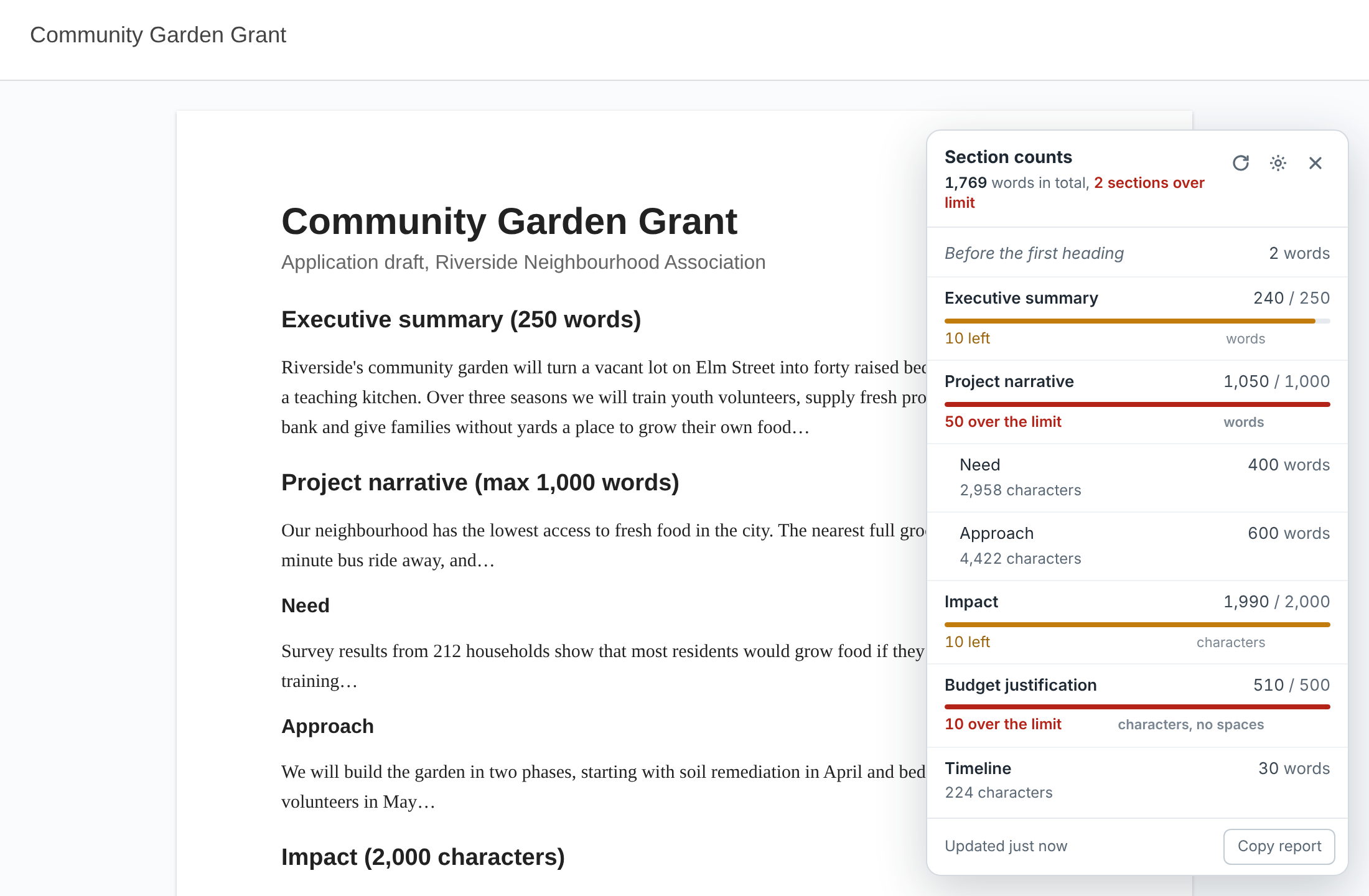
Write the limit in the heading. It's tracked for you.
Type the limit the way the form states it. A bar fills as you write: amber when you're within 10%, red with the exact overage when you're over.
Impact [max 2,000 characters]
Abstract – 300 word limit
Budget justification (500 chars, no spaces)
Built for applications
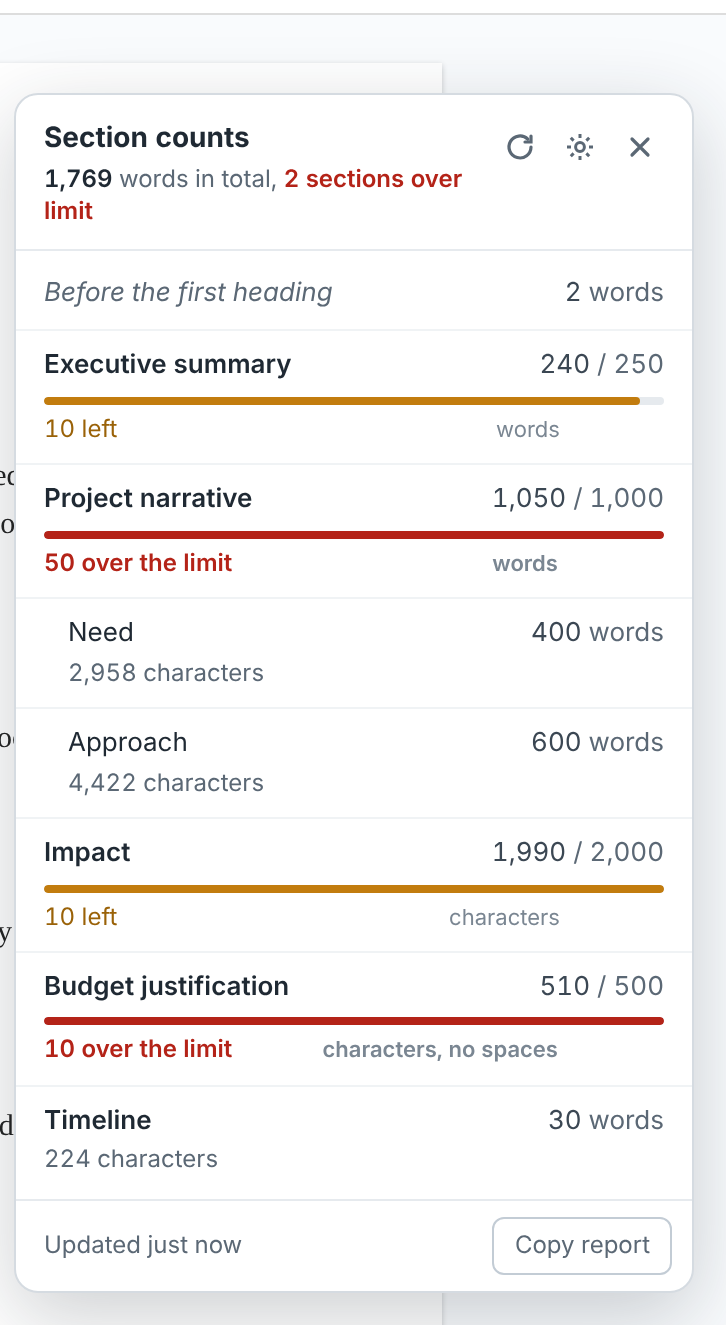
- Sections include their sub-sectionsA limit on "Project narrative" covers everything beneath it.
- Words or characters, with or without spacesCounts words the way most application portals do.
- Your own limitsSet a limit for any section from the panel, without touching your heading.
- Only the text that countsFootnotes, comments, page headers and footers stay out of section counts. Choose whether tables count.
- Live as you typeCounts refresh a couple of seconds after you stop typing, and follow the Docs tab you're viewing.
- Copy a reportEvery section's count and status, ready to paste into an email or checklist.
Private by design
The extension runs only on Google Docs documents. It reads the document you have open the same way File › Download does, inside your browser, and counts it there.
No sign-in, no access to your Google account, and nothing is uploaded. Limits you set are saved only in your browser.
Chrome permissions: runs on docs.google.com/document pages; storage to remember your limits. Full privacy details
Questions
Why doesn't my count match Google's Tools › Word count exactly?
Google counts some things, like "$25,000" or hyphenated words, slightly differently. This extension separates words by spaces, the way most application portals and forms do, so its number is usually the one your submission will be measured against.
Nothing shows up for my headings.
Section titles need to use a heading style (Format › Paragraph styles › Heading 1, 2 or 3). Bold text alone isn't a heading.
It says it can't read the document.
The extension needs the same access as File › Download. If the owner turned off downloading for viewers, counts aren't available for that document.
Is it free?
Yes. Every count and limit is free. Optional extras for heavy users, such as funder presets and submission reports, may come later, and the free version will stay fully usable.